Concept Operation 1: When we are trying to write on file by using Python we have 2 kinds of write mode. i) 'w' stands for write mode but in this mode, the old file will be deleted by new file ii) 'a' also stands for write mode but in this mode, new data will be appended with old file Operation 2: When we are reading data from the file we will be using read mode 'r Write # ['a', 'w'] f = open("demo.txt", 'a') data = input('Enter Some Data :') f.write(data) f.close() Read f = open("demo.txt", 'r') print(f.read()) [ --> Reading whole data ] print(f.readline()) [ --> Reading a single Line ] print(f.readlines()) [ --> Whole data will be devided by newline and convert it as a List] print(f.read(10)) [ --> Will read from postion to postion 10 from a file] f.close() Quiz Level 1 Quiz Level 2 Request Me
Code Example What are Network Ports? Network ports are the communication endpoints for a machine that is connected to the Internet. When a service listens on a port it can receive data from a client application, process it, and communicate a response. Port scanning is part of the first phase of a penetration test and allows you to find all network entry points available on a target system. Common TCP Ports Listing : 21 - FTP (File Transfer Protocol) 22 - SSH (Secure Shell) 23 - Telnet 25 - SMTP (Mail) 80 - HTTP (Web) 110 - POP3 (Mail) 143 - IMAP (Mail) 443 - HTTPS (Secure Web) 445 - SMB (Microsoft File Sharing) 3389 - RDP (Remote Desktop Protocol) To Run port scanner: (venv) C:\Users\kuntal\Desktop\New folder\code-example\Port Scanner>python portscanner.py 192.168.1.103 Screenshot : Click Here For Raw Code Quiz Level 1 Quiz Level 2 Request Me
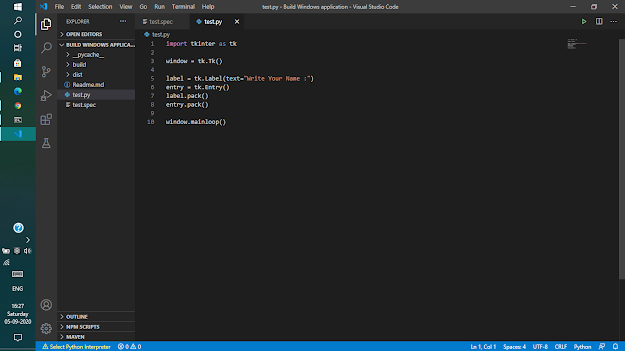
Concept & Code Step 1: > pip install pyinstaller Step 2: Create one python file "test.py" import tkinter as tk from tkinter import simpledialog root = tk.Tk() root.withdraw() user_name = simpledialog.askstring(title="MyApp", prompt="What's your Username?:") Step 3: > pyinstaller test.py --onefile Now Your EXE will be created and it is ready to be used. # Advanced Section you can edit your test.spec file as per your requirement # -*- mode: python ; coding: utf-8 -*- block_cipher = None a = Analysis(['test.py'], pathex=['C:\\Users\\kuntal\\Desktop\\ICSS\\ICSS\\Advanced Python\\Threading & Parameter Parsing\\Build Windows application'], binaries=[], datas=[], hiddenimports=[], hookspath=[], ...


Comments
Post a Comment